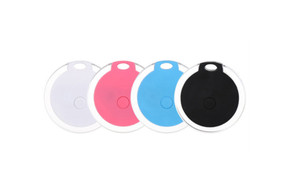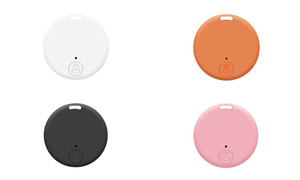


NEW NUT Smart Bluetooth Locator Anti-Loss Device Bluetooth Tracker 5932
$59.30
(No reviews yet)

Write a Review
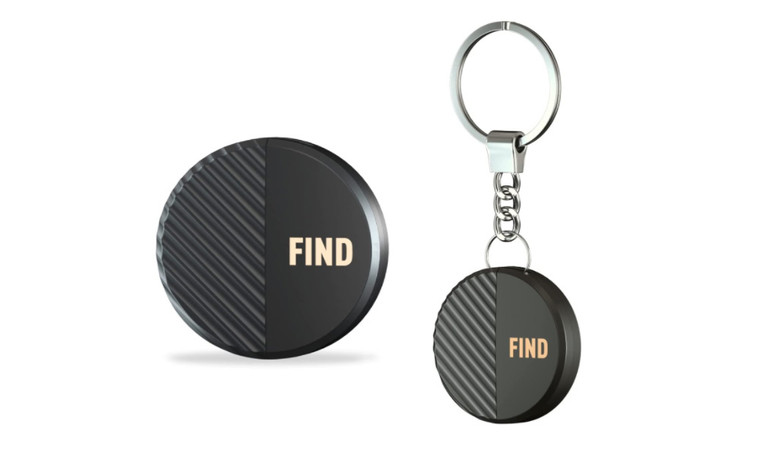
NEW NUT Smart Bluetooth Locator Anti-Loss Device Bluetooth Tracker 5932
NEW NUT Smart Bluetooth Locator Anti-Loss Device Bluetooth Tracker 5932
Material:ABS
Weight:0.06KG
Product size: 37.2mm*37.2mm*8.9mm
Battery: CR2032 Button Cell
Battery capacity: 220mah
Running time: 8-12 months
Bluetooth receiving distance:10-50m
BT:V5.0
Compatible Platforms:ANDROID4.3 and above, iOS5.0 and above
APP: NUT APP
Alert volume: 85-95 db
Features:
1.Key Finder with App:The key finder is connected to the phone via Bluetooth and Nut App. Size: 1.5inX1.5inX0.29in. It supports for iOS and Android phone. With 4 nut finder to attach keys, wallet, remote, glasses, phones, dog collars or other things that are easy lost. The key finder locator will help you not waste time searching for stuff.
2.One Touch Find:The key finder that makes music helps you find misplaced items quickly; Click the "CALL" on the App to make your key finder ring and find anything quickly.
3.Location Record Locator:"NUT" App has real time location map, and will record the last connected location to help you find it back. so you can open the map in the App to speculate approximate location of your missing items.
4.Long Battery Life & Support:Come with an extra replacement battery CR2032 (another battery in the key finder), each battery can be used for 8-12 months. Life-time technical support. If you have questions about remote finder, feel free to let us know.
Instructions for use:
1.Search for "NUT", you can also scan the QR code on the box or manual to download.
2.Open Bluetooth and positioning: Start Bluetooth and positioning according to the prompts in the APP.
3.Register new users: open the APP and click "Register Now".
4.Binding Nnt anti-drop device: open APP, click the upper left corner of the "+", click "binding Bluetooth anti-drop device", the anti-drop device close to the phone within 10CM, press and hold the anti-drop device button for 5 seconds, the anti-drop device issued a "beep "sound and flashing lights, mini models can draw off the insulating paper, binding success will be prompted.
5.Binding items: the anti-loss device will be hung or affixed to the items.
6.The anti-loss function: open APP → click the anti-loss device icon → click the anti-loss mode → click the "two-way anti-loss" button.
7.APP protection: in order to make sure that the APP can be used normally, and to protect the app is not automatically cleaned off; please check the power saving assistant, guardian, housekeeping and other software settings, the "NUT" APP set to not be cleaned list or add into the white list;.
8.Instructions: we have a very comprehensive and detailed instructions on the APP help, view the path: click the anti-drop icon → anti-drop mode → click on the instructions.
9.Replace the battery:The Bluetooth anti-loss device uses a CR2032 button cell battery. The battery is easily replaced by snapping open the top cover at the lanyard position, removing the battery, placing the positive terminal upwards into the new battery, and then the top cover is ready for use.
10.Unbinding: As a Nut device can only be bound to a mobile phone account at the same time, if you need to change your mobile phone, you must unbind the device in the state of connection between the device and the original bound mobile phone before you can rebind a new mobile phone account; Delete method: In the state of connection between the device and the mobile phone, open the APP → click on the "Nut device icon" → click on the 3 dots or settings button in the upper right corner → click on "Delete".
HS:7318190000
SKU:#A#30-09-32NUT GPS locator 5932
#A#30-09-32NUT GPS locator 5932